Features: Report
Report: reports and records for families and leaders
Teachers write report comments from the marks they already hold, and leaders get clear school-wide views. When a standard report is not quite right, build your own list.
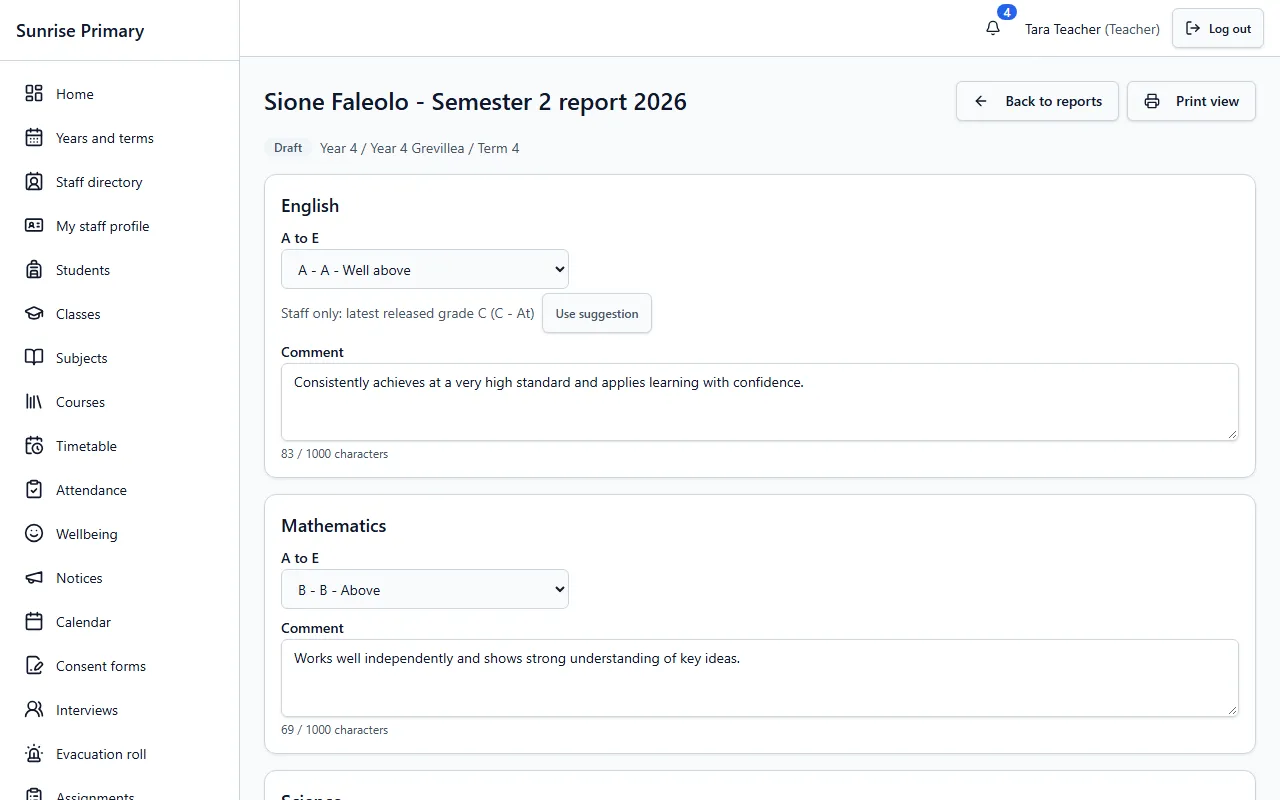
Reports with comments
For each subject a teacher picks a grade and writes a comment. A staff-only suggestion shows the latest released grade and can be used with one click. Reports start as drafts, and there is a print view.
Who can see itTeachers write the reports for their students. Families read a report once the school has published it.
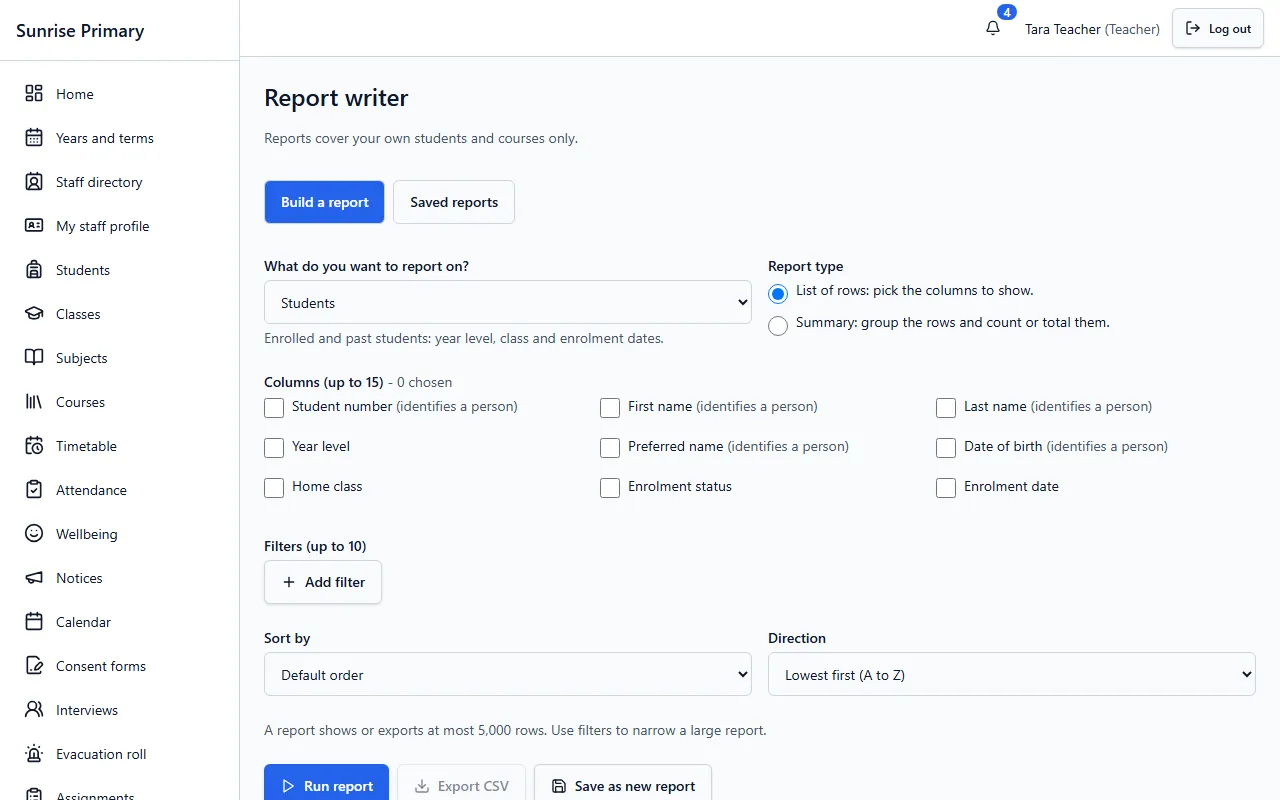
Report writer
Choose what to report on, tick the columns, add filters and sort order, then run the report and export it as a CSV file. A report can be saved and reused. Columns that identify a person are labelled as such, and a report shows or exports at most 5,000 rows.
Who can see itStaff. A teacher’s reports cover their own students and courses only.
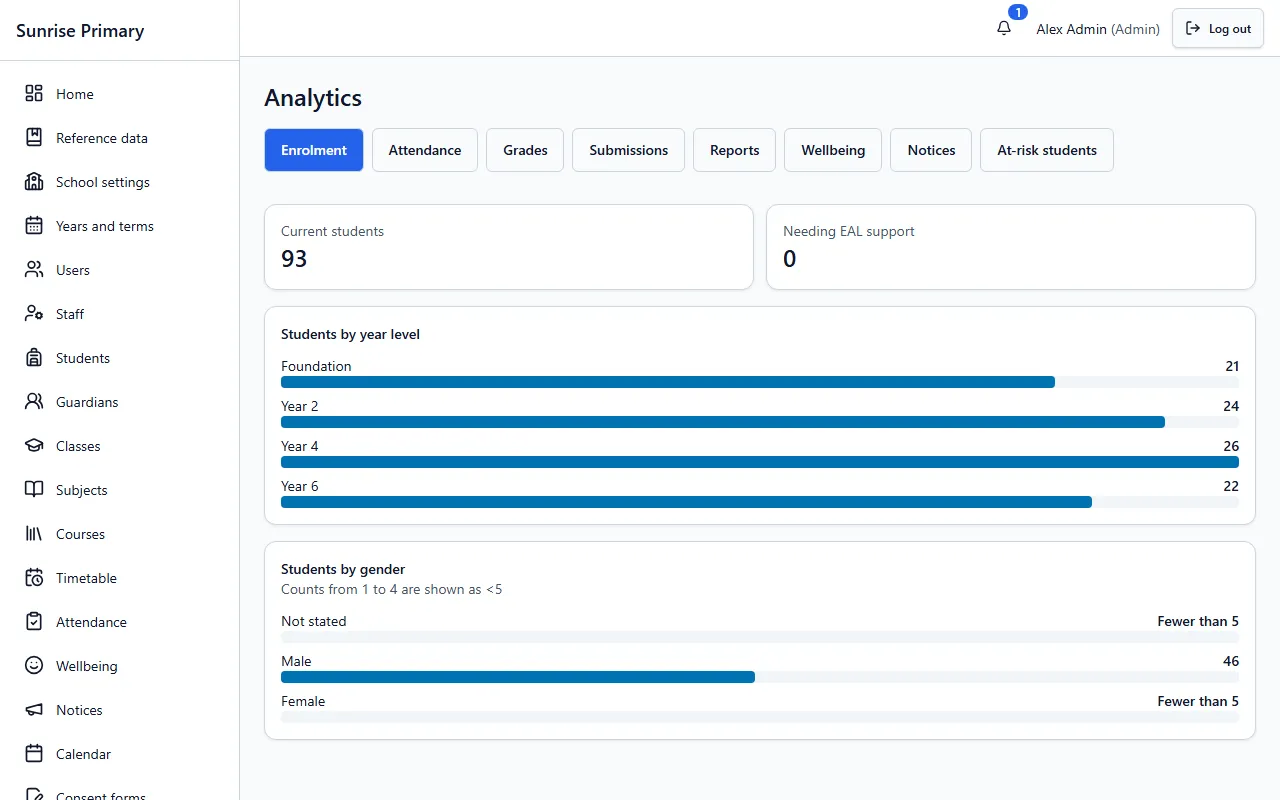
Analytics
Leaders open tabs for enrolment, attendance, grades, submissions, reports, wellbeing, notices and students flagged as at risk. Small groups are shown as fewer than 5, so a chart cannot point to one child.
Who can see itAdministrators and managers see all tabs. Teachers see attendance, grades, submissions and flagged students for their own classes.
Other feature groups
Every screen on these pages comes from a demo school with fictional people, or is labelled as a sample.
Ready to see it with your school?
Register for a free 30-day trial. No card needed.